The same MallinCamSky software works with all the cameras in the MallinCam SkyRaider series. The MallinCamSky software and SkyRaider cameras are a powerful combination, enabling you to easily adjust the exposure and gain while applying some amazing real time processing methods.
To show the effect of using the Histogram and Dark Field Correction Functions, I used the Netbook and AGc camera that comes in the MallinCam Netbook Kit. I decided to use my SkyProdigy 130 Newtonian telescope (5”) and mount. This is an F/5 telescope and works well with the MallinCam AG cameras without using a focal reducer. I chose to use the Orion Nebula (M42) as the target.
After performing an auto align, slewing to a bright star and focusing, I slewed to the Orion Nebula and centered it. I settled on a gain of 10 and exposure of about 3 seconds. Now for the fun stuff.
Adjusting the Histogram parameters
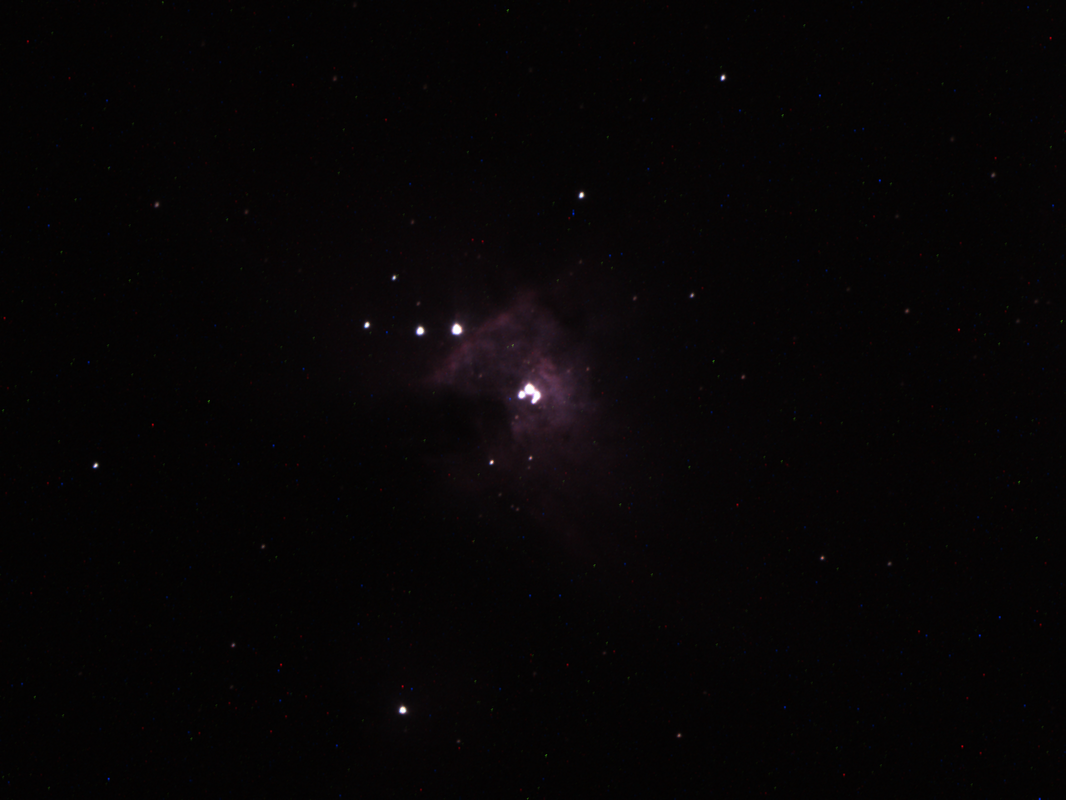
At 3 seconds I could see the Orion Nebula but not much of its detail. You could increase the exposure time to see more detail, but you owe it to yourself to learn to use the real time Histogram function in the left panel to bring out the detail in the image at a shorter exposure time. I ran the upper limit of the Histogram function from 250 down to 50 in order to move the vertical line closer to the color content shown in the Histogram graph.
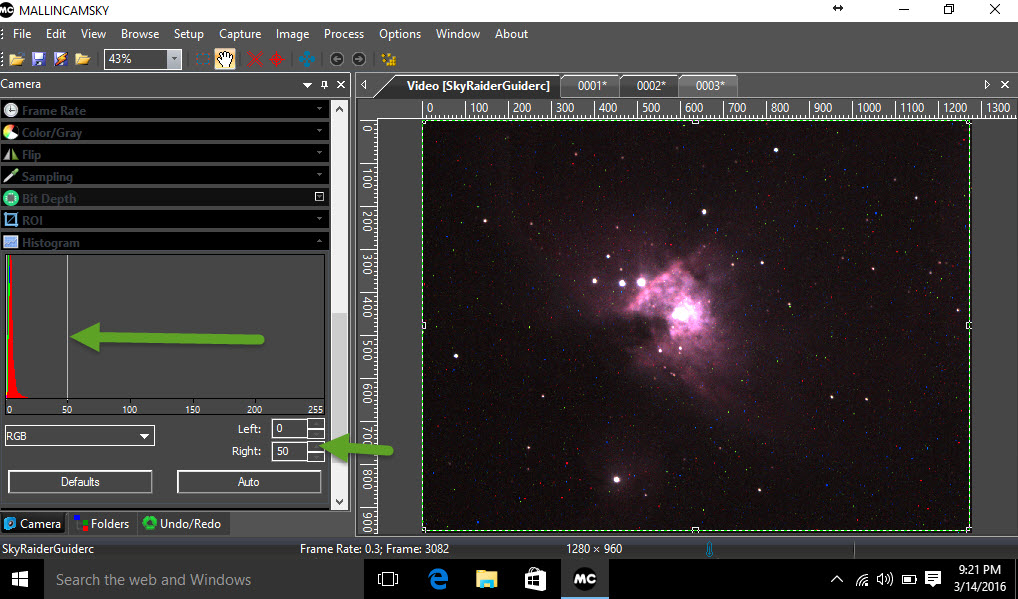
I then bumped the lower limit to about 3 to darken the background a little. It does not take long to use the Histogram tool to dramatically improve the image you see in real time.
Whenever you slew to a new target, you should first reset the Histogram to its default values. Then adjust the upper limit for the best detail and the lower limit for the best background. It is amazing the difference this real time function makes.
Dark Frame Corrections
The MallinCamSky software also has the ability to do real time dark frame corrections. If you cover up the end of your telescope with a dark cloth you will soon see a black image in the image area with several small dots in it. The background is mostly black because you covered up the end of your telescope. So what are these dots? These are called stuck and hot pixels. It is not unusual to have a few pixels always stuck on (unless you have an expensive image sensor in a camera). Hot pixels show up due to heat from inside the camera and the outside temperature. More expensive cameras have special cooling components to keep the imaging chip temperature low to reduce or eliminate hot pixels.
An alternate approach to active cooling is to use software to remove stuck pixels, hot pixels, and any background noise caused by heat in the camera images. This is the approach implemented in the MallinCamSky application. After you capture a Dark Frame of the background image when no light is striking the image chip, the software can then subtract this noise information in real time from each live image before displaying it on the screen. This produces a nice clean image without stuck or hot pixels and other background noise.
Steps to capture and enable Dark Frame Corrections
1. Set your exposure and gain to the typical exposure time you plan to use. In this case I was using 3 second exposures with a gain of 10.
2. Cover the end of the telescope using something dark like a lightweight dark cloth. The stuck and hot pixels will been seen in the image area on a black background.

3. Go to the Dark Frame Correction panel on the left side of the MallinCamSky window (orange arrow).
4. Set the quantity to the number of frames you want to collect (right green arrow). Use at least 3-5.
5. Click on Capture (left green arrow). You will see a counter incrementing each time it captures an image until it reaches the number you specified. If you are using five 3 second exposures this will take 15 seconds. If you use five 10 second exposures this will take 50 seconds, etc.
6. When it is done, click the box to enable Dark Frame Correction (red arrow). The displayed image should then go completely black.
7. Remove the dark cover from your telescope.
At the next screen update you should see your target object with the Dark Frame noise removed.
Image Comparisons
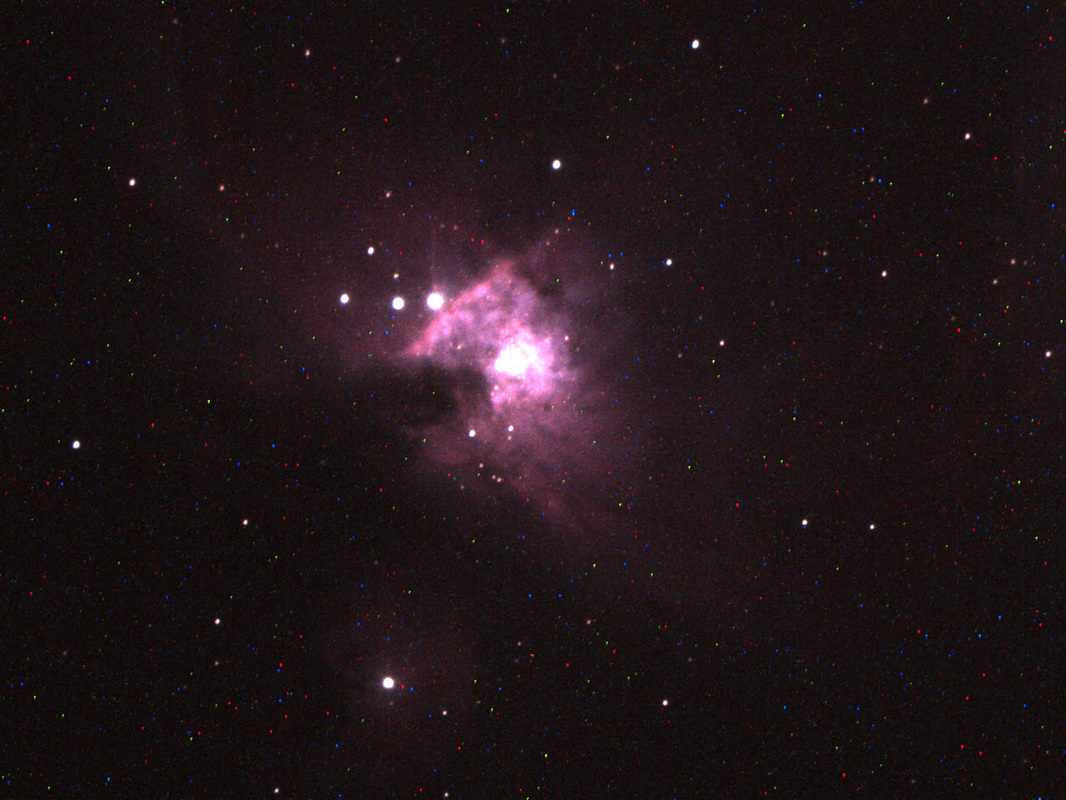
You can see the power of the MallinCamSky software as you compare the original 3 second image to the images with the Histogram and Dark Field Corrections applied in real time every 3 seconds.
Orion Nebula using 3 second exposure:
Orion Nebula using 3 second exposure with Histogram applied:
Orion Nebula using 3 second exposure with Histogram applied:
Orion Nebula using 3 second exposure with Histogram and Dark Frame Corrections:
Orion Nebula using 3 second exposure with Histogram and Dark Frame Corrections:
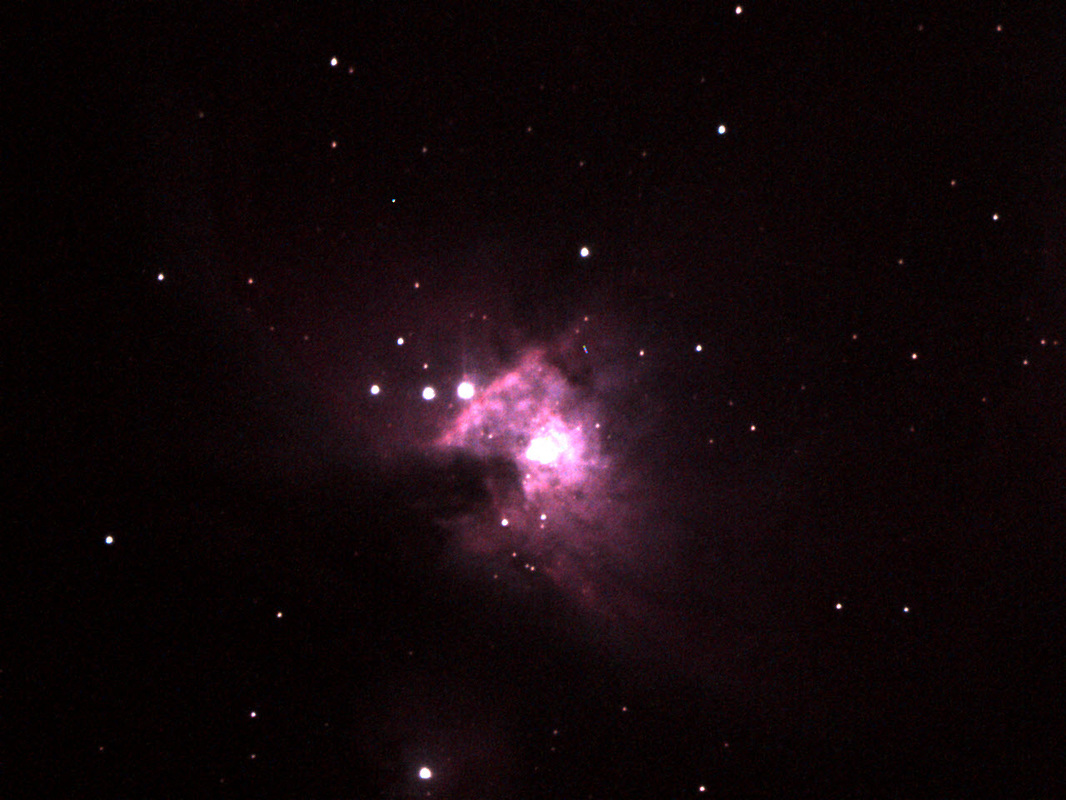
The MallinCamSky software will continue to remove the noise from all images as long as you keep Dark Frame Corrections enabled. You can even save (Export) Dark Frames captured with different exposures and conditions and retrieve them (Import) for use as needed.
By applying live real time Dark Frame corrections and live Histogram processing, the MallinCamSky application produces great images using the AGc and other SkyRaider cameras.
A little effort goes a long way
If you spend time practicing using the Histogram it will soon become the first thing you do after you set your exposure in order to bring out more detail and darken the background.
Capturing Dark Frames is more a matter of following the steps to do it when you want to reduce the effects of heat. It is also worth finding a good dark material to cover the end of your telescope that is lightweight so as to not affect your telescope’s position and alignment when used.
 RSS Feed